

Features.
What the app does.
01. YOUR VAULT
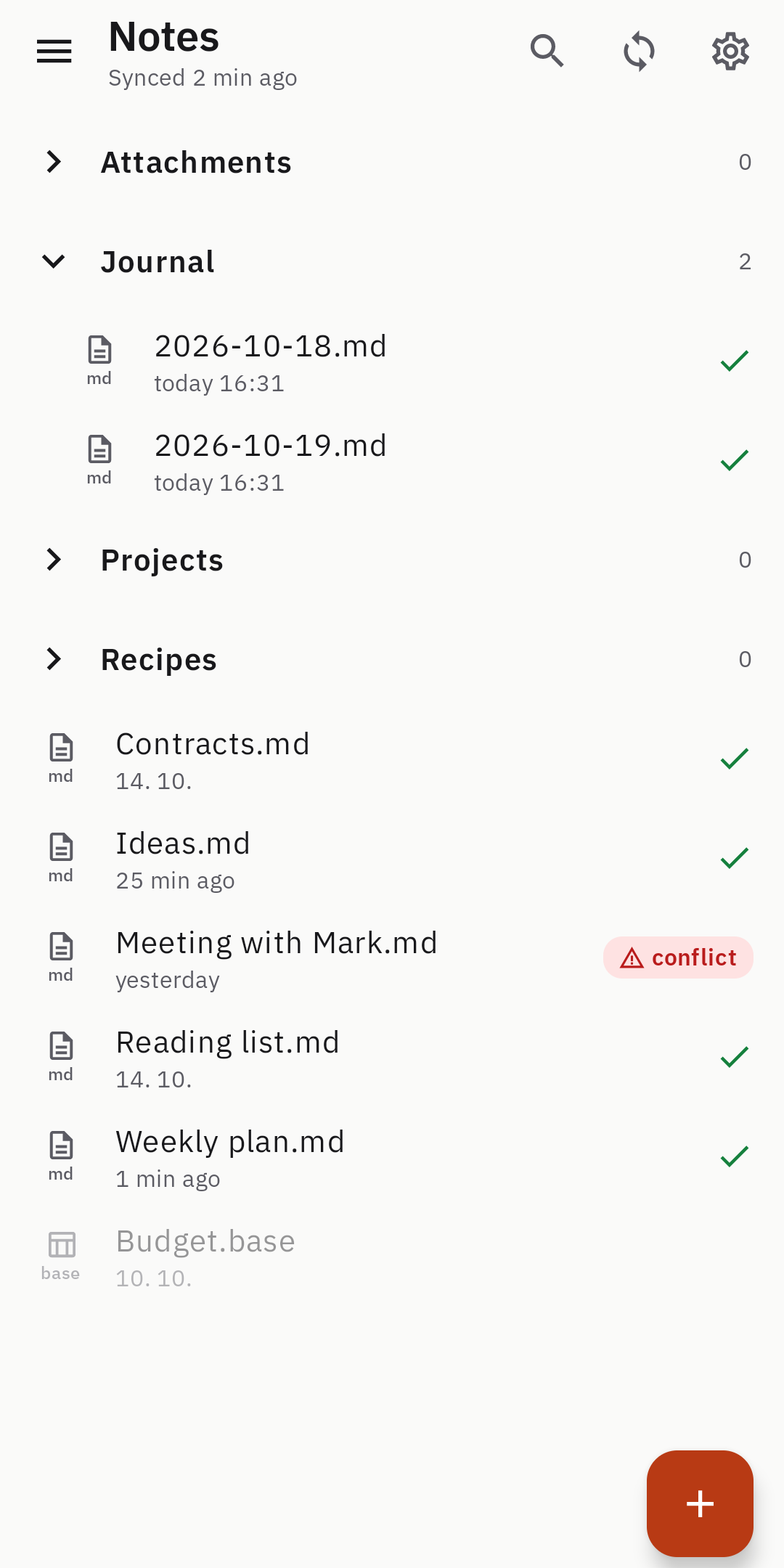
Pick any folder on Google Drive. Vaults with a .obsidian folder are found automatically, including folders synced from your computers. Plain Markdown files – nothing is converted.
02. Live editing.
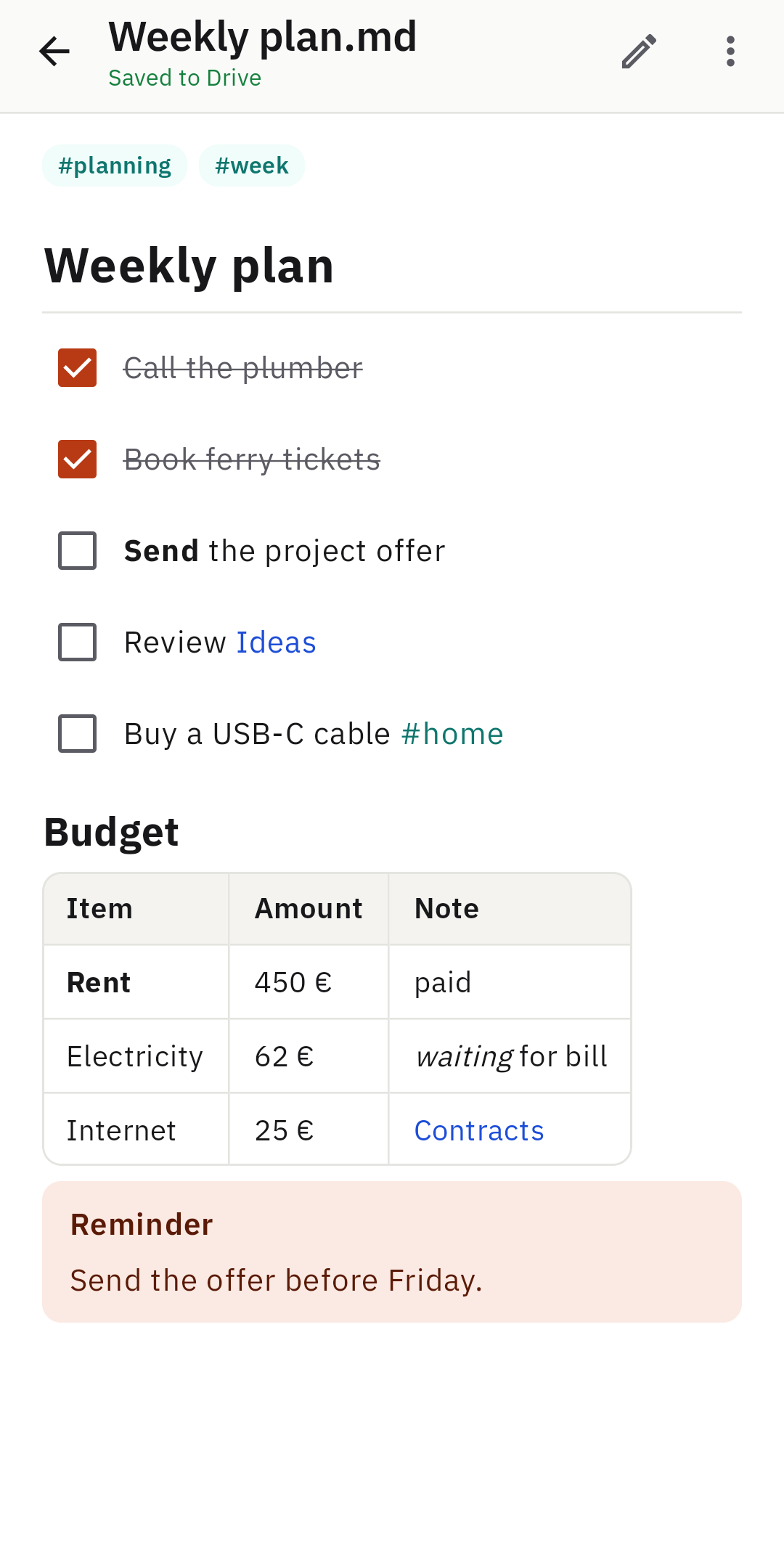
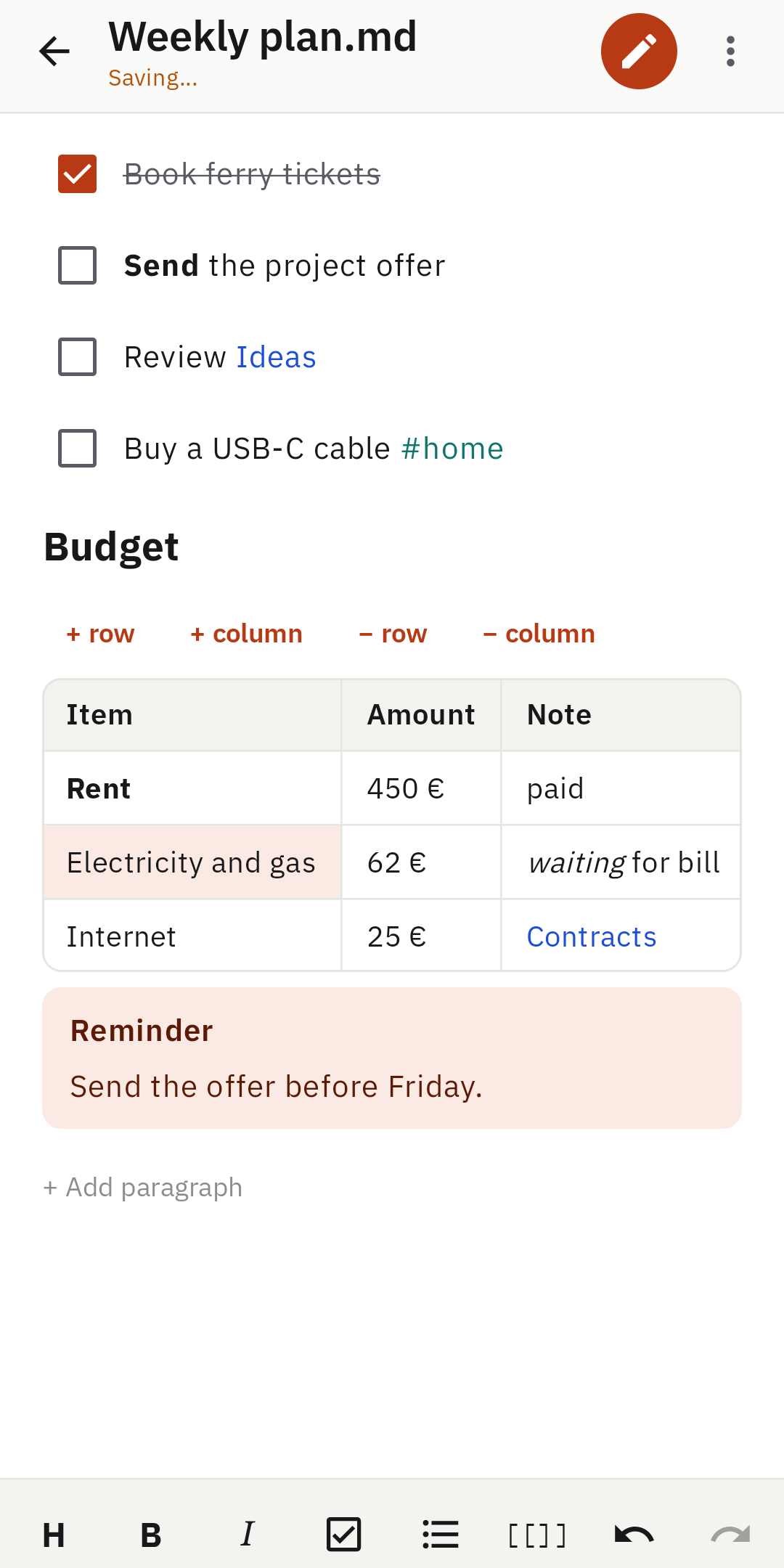
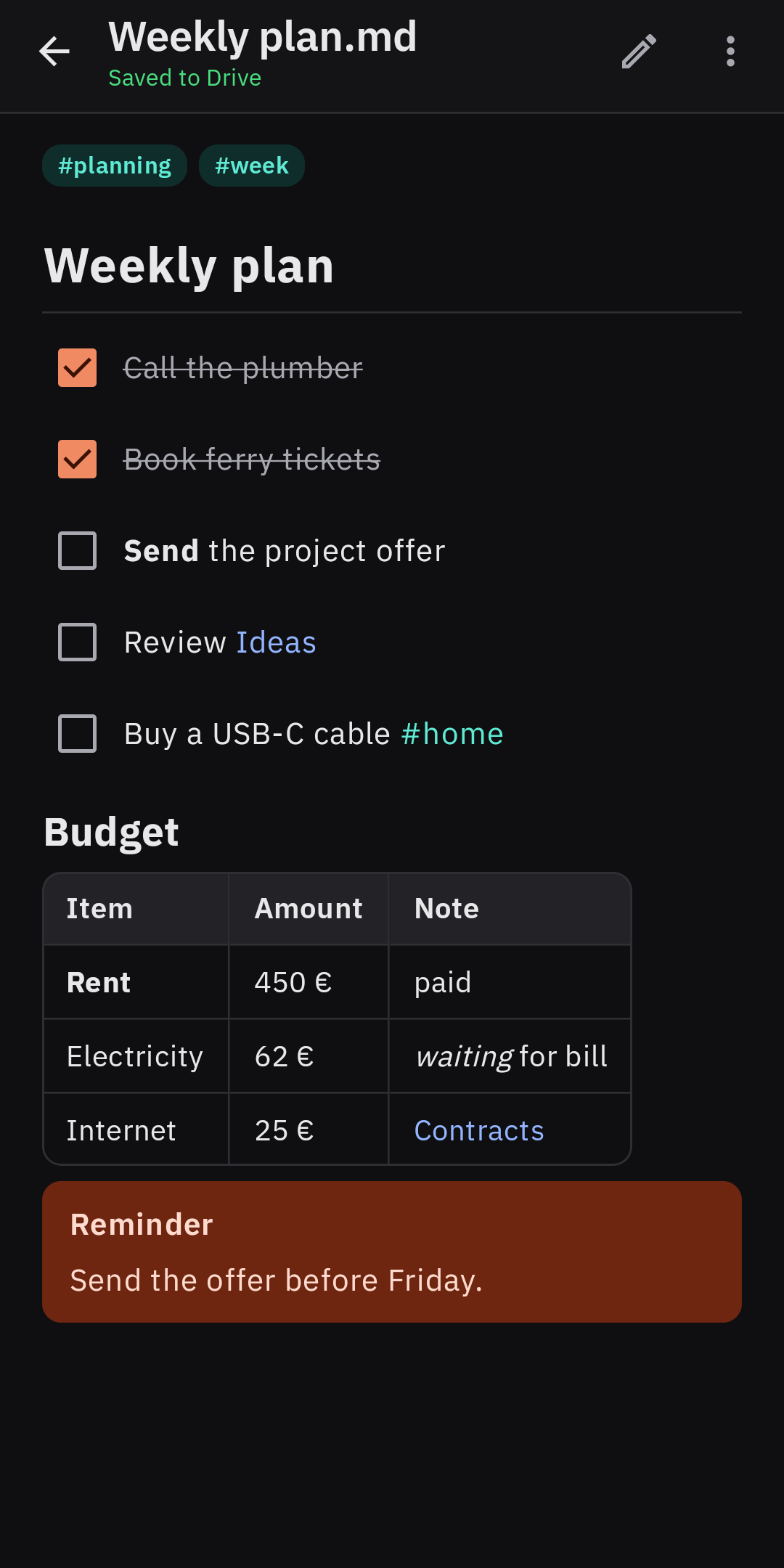
The note looks finished; tap a paragraph or a table cell to edit just that part. Wiki links, tags, task lists, callouts, tables and images.
03. Safe sync.
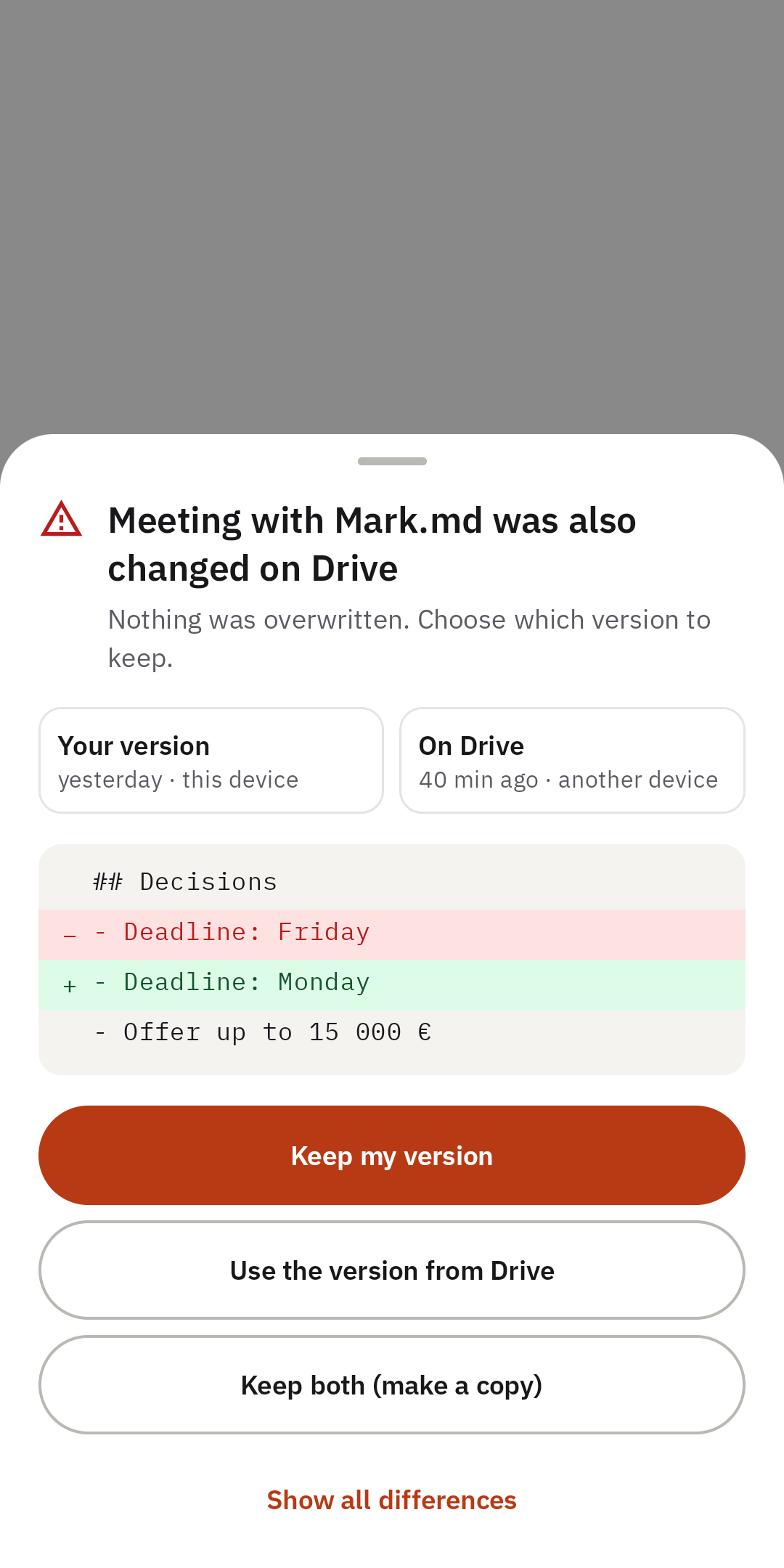
Works offline and uploads when you are back online. If a note also changed on your computer, nothing is overwritten – you choose which version to keep.
04. Private.
No sign-up, no servers, no ads, no tracking. Your notes travel only between your phone and your own Google Drive.
Screenshots.
A look inside.
Details.
Free, no strings attached.
Marsidian is free and runs on Android 8.0 or newer. Signing in requires a Google account; the app only accesses files on your Google Drive and never sends them anywhere else. A detailed policy for the app is available at mars202.hr/en/marsidian-privacy-policy.
Questions and suggestions: info@mars202.hr
Marsidian is an independent app and is not affiliated with or endorsed by Obsidian or Dynalist Inc. Obsidian is their trademark. Google Drive and Google Play are trademarks of Google LLC.